Internet Download Manager for Mac 10.6.8
Download Accelerator Plus, also known as DAP is the most popular download manager of all times. They've been around for more than 20 years. Unfortunately, they've stopped supporting macOS 10.iv and above.
😭 😍 😂 4 Costless Download Director For Google Android Smartphone
These download managers are known as IDM, which stands for Net Download Director. Who needs to use IDM? Well, for those into downloading very large files. One of the biggest differences and benefits of using an IDM is the ability to break and resume a download. Ideal in situations where the files are in GB size. Without further ado, here are some of the all-time download managers for macOS and Windows.
↓ 01 – Folx Free | macOS
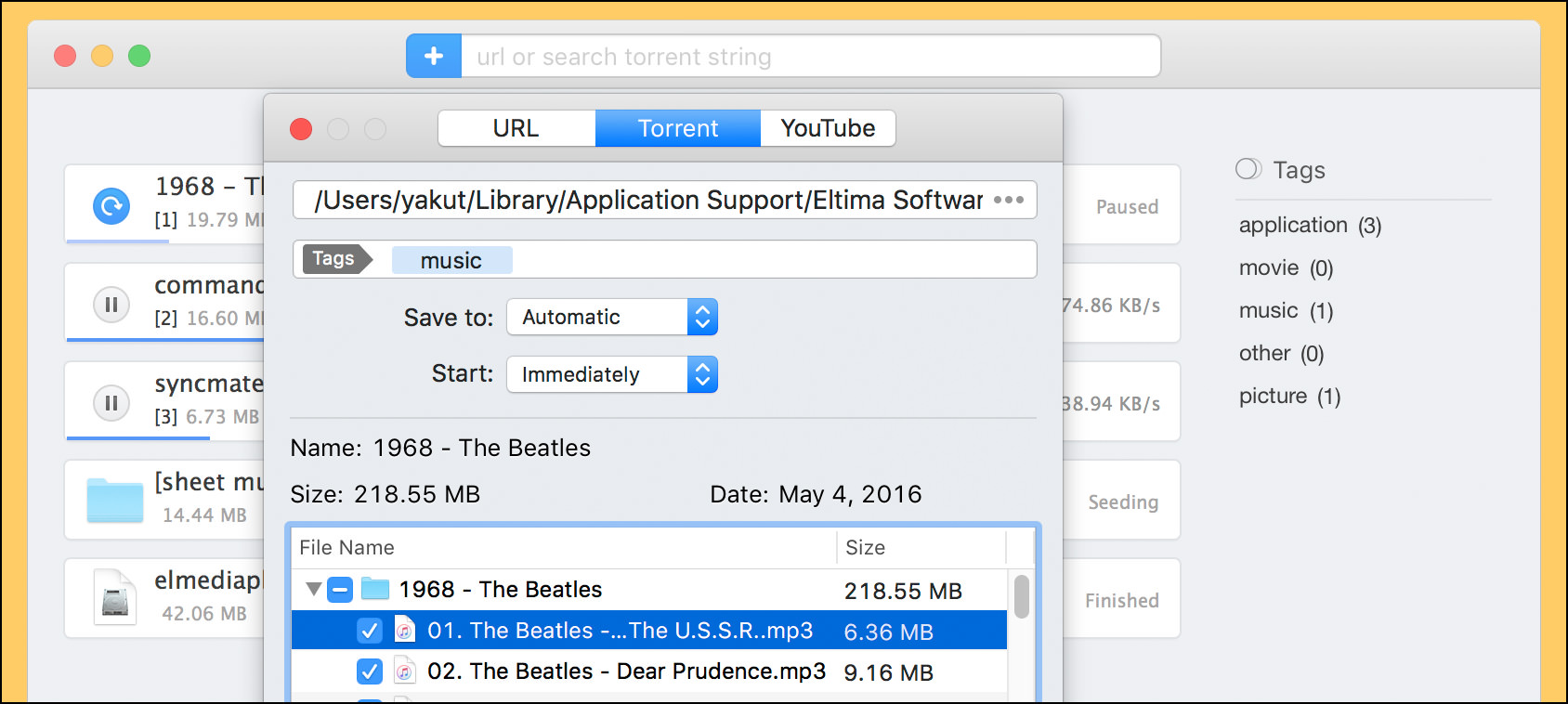
Folx is a free download manager for macOS with a true Mac-manner interface. It offers convenient downloads direction, flexible settings, etc. Folx has a unique system of sorting and keeping the downloaded content.
If you lot come up across something you want to download on the web, Folx can automatically catch the downloads or it can catch simply the specific types of files for downloading. Folx also features a browser extension, which has the options to download all, download selected, and download with Folx. The supported browsers are: Safari, Firefox, Opera, Chrome.
- Magnet links – Autonomously from downloading files from torrent trackers Folx enables y'all to download using magnet links. The latter ways y'all do not have to save a divide file before starting the actual download, which is convenient. It also allows you not to advertise the fact that you are using P2P engineering science.
- Torrent Search [ Paid ] – PRO version of Folx enables torrents search directly from the awarding. With Folx PRO you don't demand to browse through multiple torrent trackers to find what you lot need. Enter a keyword in Folx, and it volition search for it in its extensive list of torrent trackers and display a listing of relevant results.
- Speed control [ Paid ] – Gain full command over the downloading speed by either adjusting it manually or allowing Folx to do that automatically for optimal traffic allocation.
- iTunes integration [ Paid ] – All music and videos downloaded with Folx tin automatically become to iTunes playlists with the names every bit the tags assigned to downloads.
- Download from YouTube [ Paid ] – Download videos from YouTube with Folx with the possibility to set the format for the downloaded video. When you don't actually need the video and only want to accept a soundtrack from information technology, Folx is of keen help! Downloads can be performed manually, immediately upon the video discovery or at a certain schedule.
↓ 02 – iGetter | macOS
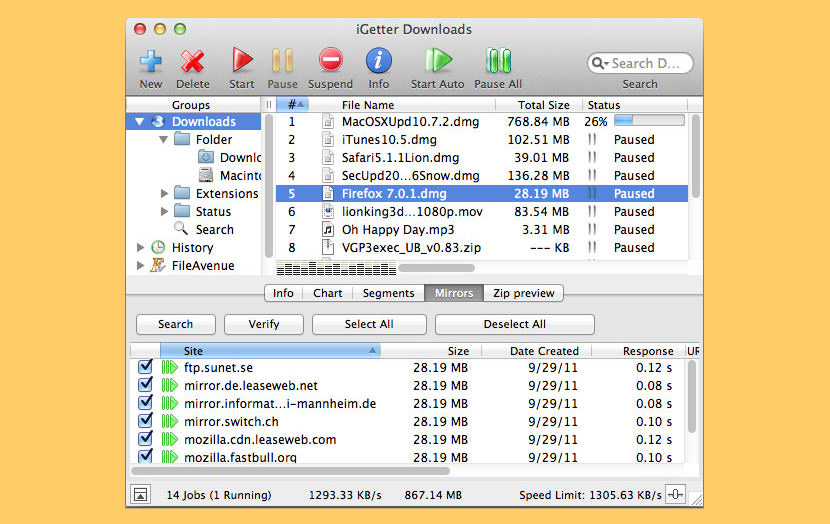
iGetter is a powerful, full featured download director and accelerator. iGetter can greatly improve the speed of your downloads using segmented downloading. In improver it allows motorcar resume on broken downloads, queue filtering by various criteria, site explorer, history list, scheduling downloads for low traffic periods, auto redial on broken connectedness, auto hang-up and shut down on completion, and much more than. Some of iGetter's fundamental features:
- Managing Downloads – iGetter allows you to resume downloads. If yous got office of a file, iGetter will restart the download at the indicate where it is broken and so iGetter only gets the balance of the file, without having to restart from the beginning. This makes downloading of your files much easier and faster. Notation that in some rare cases servers prevent resuming. If so, iGetter will notify yous if you lot endeavor to intermission a non-resumable download. iGetter lets you organize your file downloads, and automatically downloads them. You can set the position of whatever download in the queue if yous motion it upwardly or down to choose a improve position. You lot tin can as well apply queue filters to sort your downloads by folder, blazon and status.
- Accelerated Downloading – 1 of the bones features of iGetter is Segmented Downloading. This feature is very useful when the servers from which you download have limits on download speed for every connection. Segmented downloading can speed up the download by making multiple connections to the server and downloading many segments simultaneously. Acceleration of segmented downloading depends on the speed of your connection to the cyberspace and the servers's available bandwidth for downloads.
- Mirrors – Choosing the mirrors panel volition requite y'all the opportunity to search and add server mirrors found in the FileAvenue.internet downloads library. To search for mirrors just push the"Search" button and iGetter volition show you all the possible server mirrors for download. You can manually cull the appropriate location for the file. In the mirrors table yous will see the server location, file size and if it is a HTTP location the file engagement. Y'all tin bank check only those URL'due south that you desire to be included in the downloading process. If you lot cull all the server locations iGetter automatically will associate mirror URLs to the segments first from the first mirror in the table. In addition, you can manually add together mirror servers for any download using the "Item Settings" command.
- Schedule Downloads – With this useful function you lot can schedule your files to download at low traffic periods. You may specify the time and exact date or days of the week, when y'all desire iGetter to begin downloading the queue. Yous can utilise a countdown clock or exact fourth dimension at which iGetter will stop automatic downloading. iGetter may automatically quit itself, turn off or sleep your auto when downloads in the queue are finished or the schedule download stop fourth dimension occurs.
- Site Explorer – Site Explorer allows exploration of the unabridged web or FTP sites, then you can easily find and download files you're interested in. To explore a HTTP, HTTPS or FTP site select the Site Explorer group item and choose the contextual carte function "Enter Site URL" to set a site URL. When you accomplish the file that you want to download, double click on it or cull the contextual menu function "Add to queue" and it volition appear in the queue for download. If you desire to cancel the processing simply push the "Interruption" push on the Toolbar. Site Explorer analyzes HTML pages for all available links even looking in the JavaScript functions, so it will testify a complete list of web page contents.
↓ 03 – JDownloader | Windows | macOS | Linux
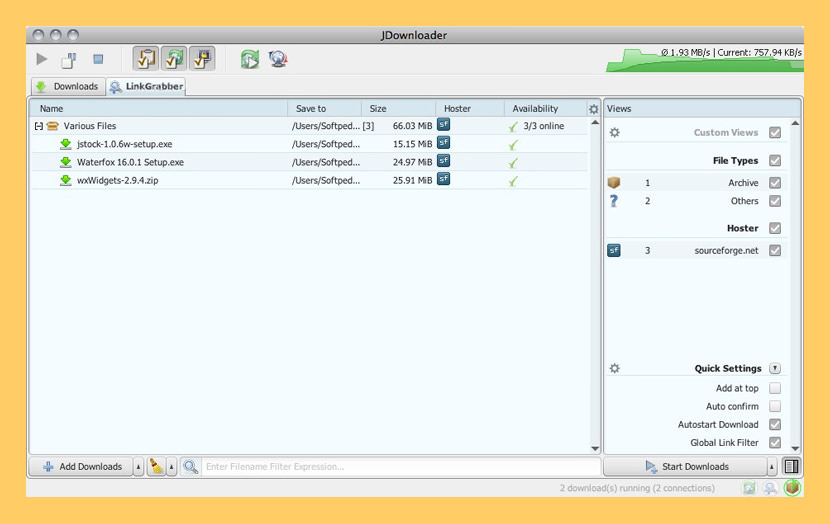
JDownloader is surely the best complimentary download manager for mac. JDownloader is a download director, written in Java, which allows the automated downloading of files and split files from one-click hosting sites. JDownloader supports the use of premium accounts. Some parts, but not all, of JDownloader are open up source. Hither are some of the features of Jdownloader for mac:
- Download files from file hosting services such as Mediafire, 4Shared, and others.
- Can automatically solve some CAPTCHAs with its own OCR module (JAntiCaptcha)
- Download limit per twenty-four hours before IP address refresh
- Resume/ Pause your download at your wish
- Easier to use even for less experienced
- You but need to copy the URL of file you want to download and paste that in the downloader
- It compresses large files into usually RAR files to make the downloading size smaller.
↓ 04 – Progressive Downloader | macOS
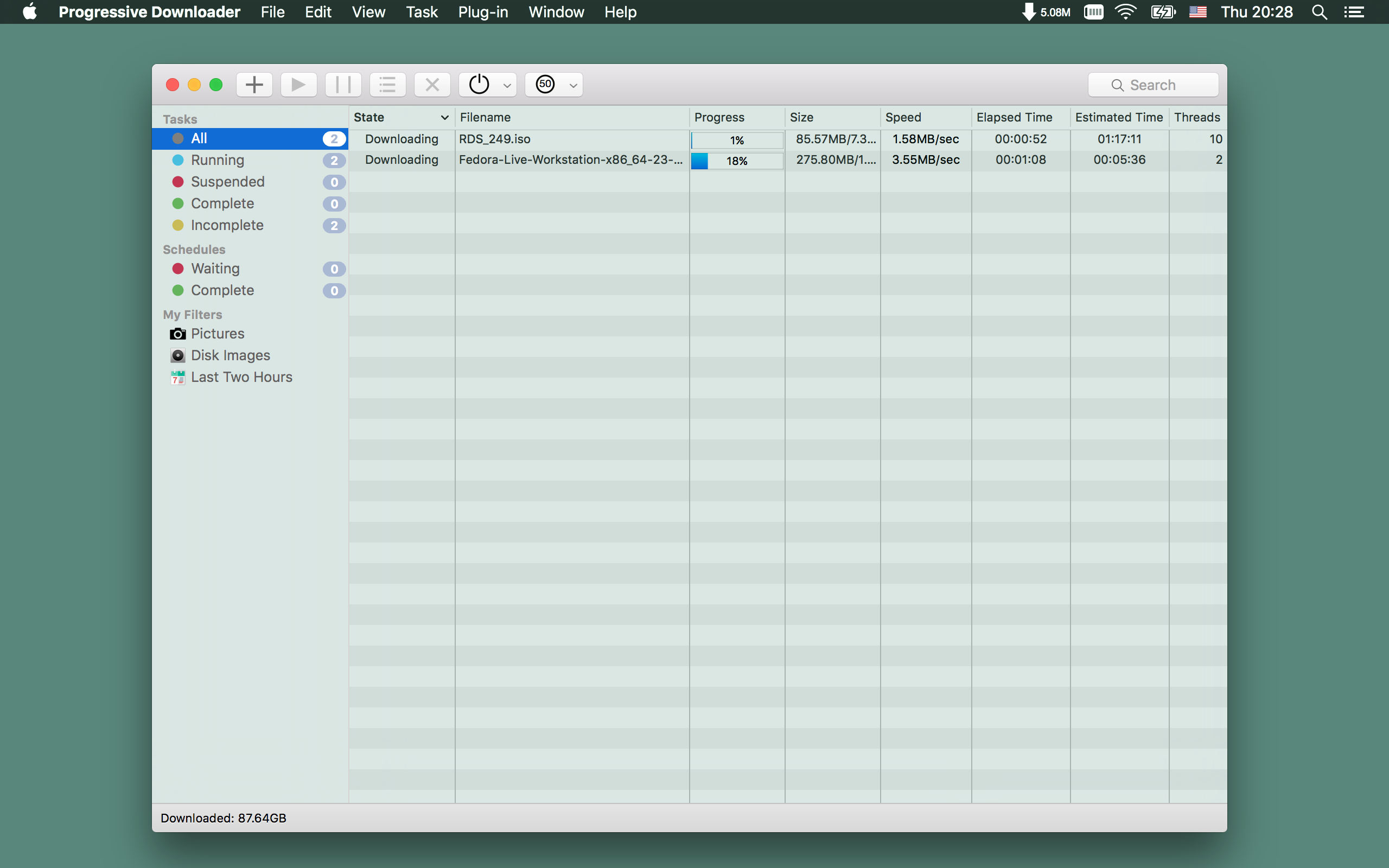
A download manager to get 'em as fast as possible using the whole breadth of the Cyberspace connexion.
- Integration with all major browsers fabricated easy as i-ii-iii.
- Automatic search for the fastest servers bachelor for the about popular downloads.
- Built-in FTP/SFTP browser to control your remote resources.
- Use power of the awarding from AppScript for Automator.
- Use your Zevera business relationship to Download from more a hundred of file hosting services.
- Make your downloads running just during specified fourth dimension window.
↓ 05 – Xtreme Download Manager | Chrome | Firefox | Opera
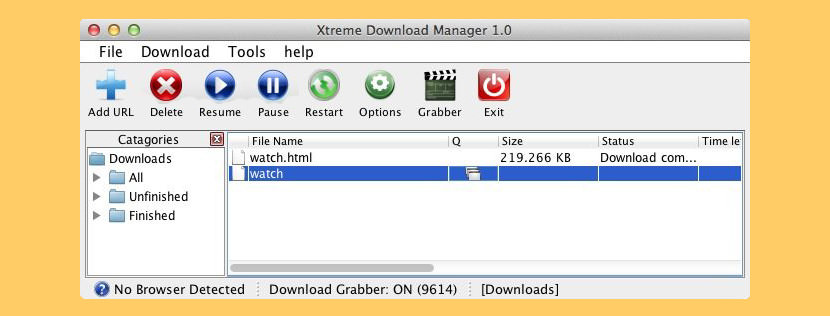
Xtreme Download Managing director is a powerful tool to increment download speed upwards-to 500%, salve streaming videos from YouTube, Metacafe, DailyMotion, Google Video or any other website, resume cleaved/expressionless downloads and schedule downloads. XDM seamlessly integrates with Microsoft Edge, Firefox, Chrome, IE, Opera, Safari and all popular browsers, to accept over downloads and salve streaming videos from the web.
XDM uses sophisticated dynamic segmentation algorithms, data compression and connection reuse to speed up the download process. Xtreme Download Manager supports HTTP, HTTPS and FTP protocols, firewalls, proxy servers, automatic proxy scripts, file redirects, cookies, authorisation etc. Features:
- Download files at maximum possible speed. ( 5-6 times faster )
- Works with all versions of all browsers. XDM tin integrate with any browser (Microsoft Edge, Firefox,Chrome,Internet Explorer,Opera,Safari or whatsoever other program trying to download a file from Internet)
- XDM can save videos from YouTube, Daily Motion, Metacafe or other popular video sharing sites.
- Works with Windows ISA, supports Car proxy, NTLM, Kerberos authentication.
- Supports HTTP,HTTPS,FTP protocols with Authentication,Proxy Servers, Cookies, Redirection etc.
- Resumes broken/dead downloads acquired by connection problem,power failure or session expiration
- Batch download,clipboard monitoring, automatic antivirus checking,scheduler, system shutdown on download completion
↓ 06 – Download Shuttle | macOS
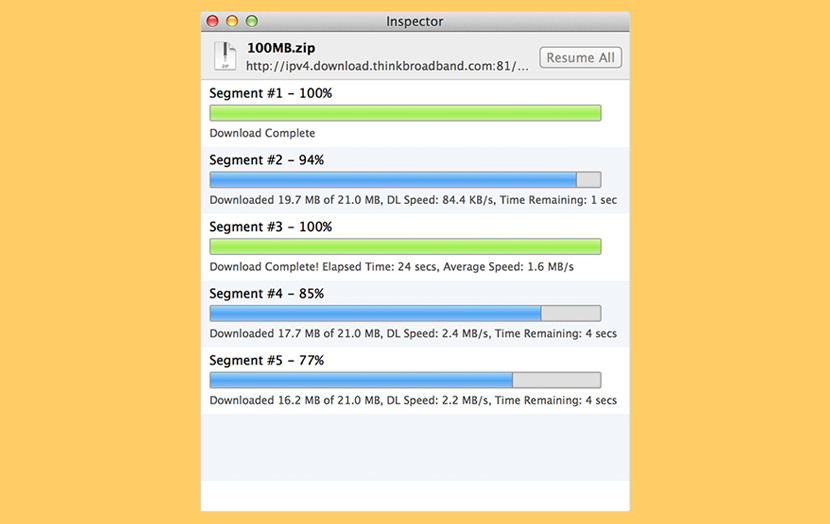
Download Shuttle is a blisteringly fast download accelerator and managing director, and information technology's free! All downloads fabricated via Download Shuttle are multi-segmented, i.eastward., each file is separate into many smaller parts that are simultaneously beingness downloaded. This ensures that the speeds y'all experience are a lot faster as your bandwidth is maximized. Key Features:
- Faster speeds with multi-segmented downloads
- Download management tool that allows unlimited simultaneous multiple downloads
- Support for URLs that require hallmark
- Pause and resume support for URLs that support it
- Drag and drop support for download links
- Support for http/https
- Bone X Service to transport a URL to be downloaded directly by Download Shuttle
↓ 07 – Free Download Manager | Windows | macOS
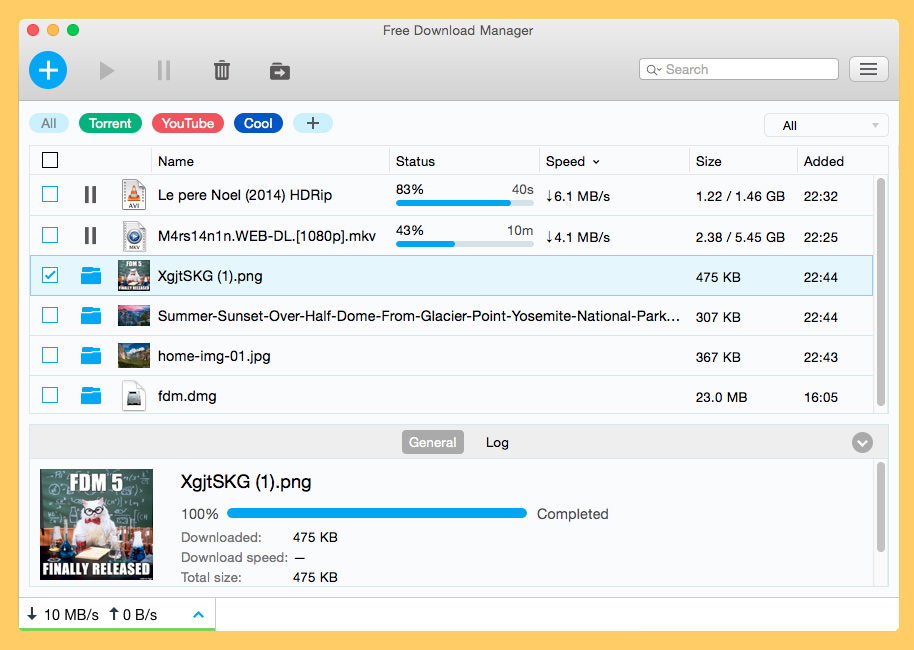
FDM accelerates downloads by splitting files into sections and and so downloading them simultaneously. In addition, Free Download Manager allows you to adjust traffic usage, organize downloads, control file priorities for torrents, efficiently download large files and resume broken downloads.
FDM can boost all your downloads up to 10 times, process media files of various popular formats, drag & drop URLs right from a spider web browser as well as simultaneously download multiple files! It is a powerful modern download accelerator and organizer for Windows and Mac. Complimentary Download Director allows y'all to accommodate traffic usage, organize downloads, control file priorities for torrents, efficiently download large files and resume broken downloads.
- BitTorrent support – Download files using BitTorrent protocol.
- Resuming broken downloads
- Adjusting traffic usage
- Video downloading from popular websites
↓ 08 – Persepolis Download Manager | Windows | macOS | Linux
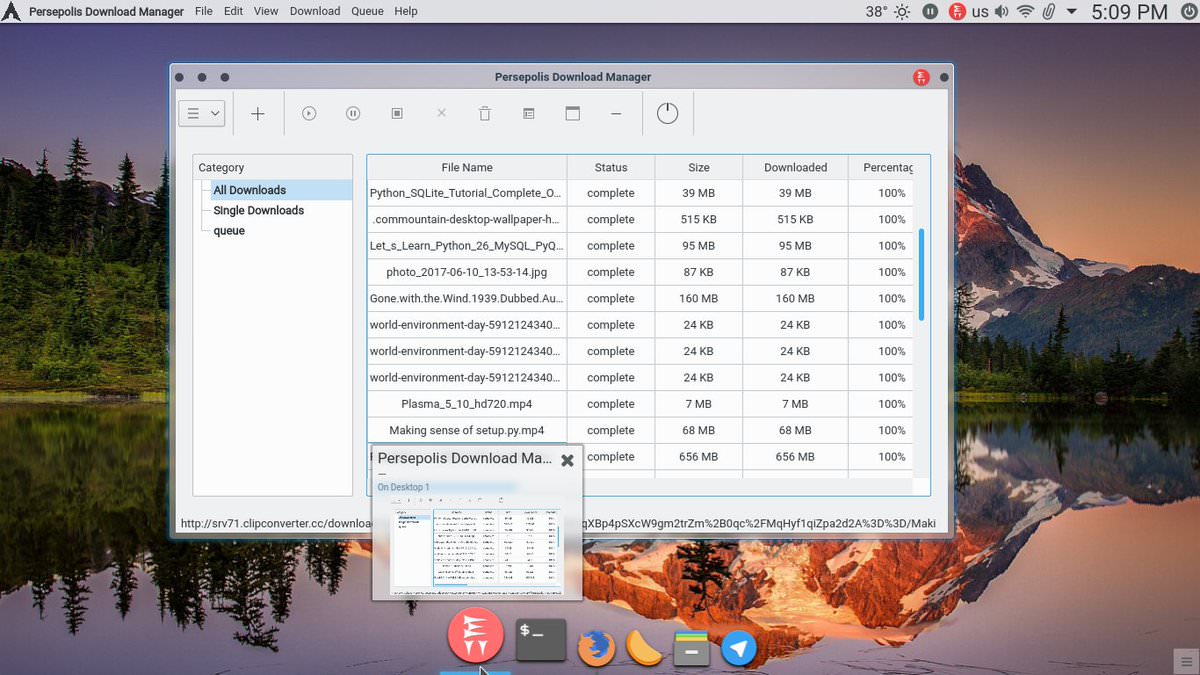
Persepolis is a Download Director and a GUI For aria2. It's written in Python. Persepolis Download Manager is a utility for downloading easier and faster with Small aria2 iconaria2 and improved it.
- It supports HTTP(S) & FTP.
- Persepolis configures aria2 automatically for maximum speed and information technology take a GUI for using easier.
- You tin can adapt offset time and end time for downloads.
- Download queue
- Multi segment
- Persepolis can shutdown system after download.
- Persepolis can download videos from Youtube, Vimeo, DailyMotion, … very easy. Just paste the link and download video or simply sound of the video with your desire quality.
↓ 09 – Peachy Download Manager | Windows | macOS
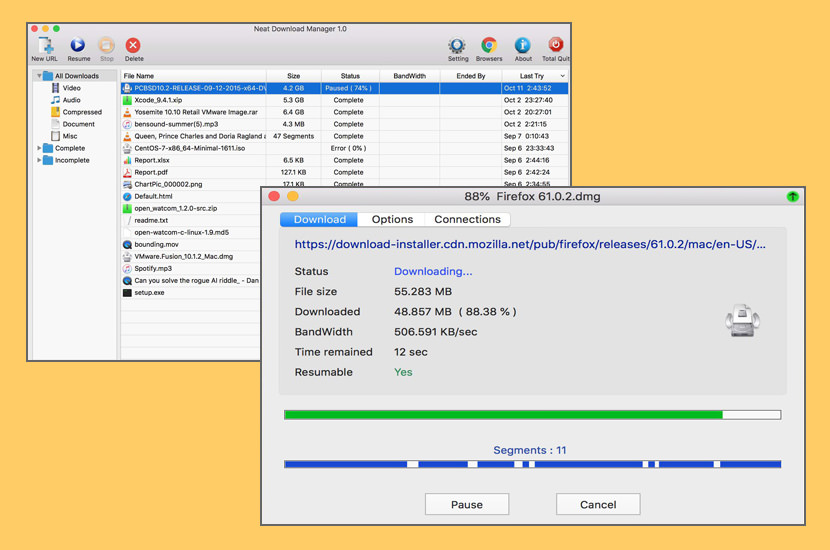
Neat Download Manager is a free Download Manager for macOS (OS Ten x.ten or college) and Windows ( windows seven or higher). Peachy Download Manager is a simple and lightweight UI wrapped around a powerful and optimized Download-Engine. It was designed to be uncomplicated, piece of cake to use and respectful to hardware resources (CPU, Ram, Power…)
- Speeds upwardly your Downloads up to your total available Bandwidth.
- Uses an optimized Dynamic Segmentation Algorithm.
- Organizes your Downloads based on Download Status (Complete, Incomplete) And File Type (Video, Document , …)
- Supports HTTP, HTTPS and FTP Protocols.
- Supports HTTP Proxy and SOCKS Protocol.
- Supports HTTP Authentication and Proxy Authentication (Bones, Assimilate, NTLM)
- Has Break/Resume Capabilities and can resume crashed Downloads.
- Has Browser Extension that can transport Download Links to it and helps you download Video/Sound from any WebSite.
- Tin download all .ts files of an HLS video and at the end merge all segments into a single .ts file.
↓ ten – uGet Download Manager | Linux | Windows | macOS | Android
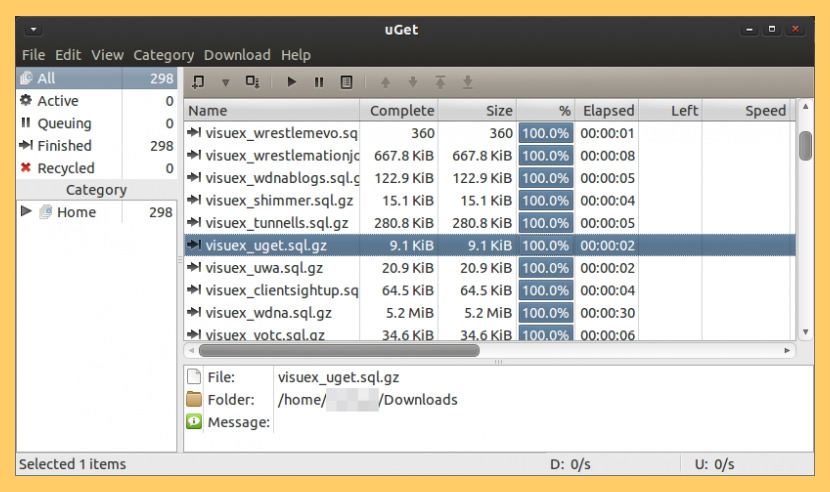
uGet is a VERY Powerful download director application with a big inventory of features merely is yet very light-weight and low on resources, and then don't let the impressive list of features scare yous into thinking that it "might be besides powerful" considering remember power is good and lightweight power is uGet!
- FTP Login & Anonymous FTP – supports downloading from anonymous FTP as well as login support via Username & Password for individual/protected FTP servers.
- CLI / Concluding Usage Support – power to employ a control line or concluding to download files.
- User Amanuensis Command – modify the user agent a server sees to ensure downloading when servers have odd restrictions.
- Multi-Protocol – back up for downloading files through HTTP, HTTPS, FTP, BitTorrent* & Metalink*
↓ 11 – EagleGet | Windows | Chrome | Firefox | Opera | IE
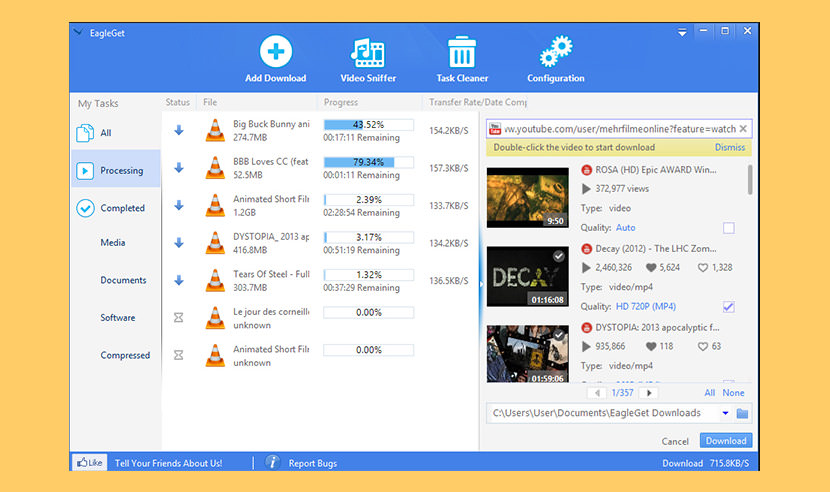
EagleGet (in short E.G) is a freeware download manager, accelerator and media grabber for Microsoft Windows operating system. If y'all are someone who downloads a lot of stuff from the net, be it songs, videos, documents, athenaeum, softwares, images, then EagleGet is that awarding for y'all. EagleGet let'due south you lot pause and resume broken or interrupted downloads due to network problems, lost connections, power failure and unexpected calculator shutdowns.
- EagleGet is a complimentary all-in-one download manager; it can be integrated to Chrome, IE, Firefox, Opera, offering back up for HTTP, HTTPS, FTP, MMS and RTSP protocol likewise every bit pop online video websites.
- Automatically detects media contents on any website. The unique ad-free Media Grabber & Video Sniffer batch downloads Hd videos with a unmarried click. Media format conversion is also possible by installing proper component.
- Contains automatic malware checker and file integrity verifier, the features that protecting users from virus attack every bit well as ensuring the downloaded file is genuine from the original.
↓ 12 – Persepolis Download Manager | Windows | macOS
Persepolis is a Download Managing director and a GUI For aria2. It'south written in Python. Persepolis Download Manager is a utility for downloading easier and faster with Small aria2 iconaria2 and improved information technology.
- It supports HTTP(Due south) & FTP.
- Persepolis configures aria2 automatically for maximum speed and information technology have a GUI for using easier.
- You lot tin can adjust start time and end time for downloads.
- Download queue
- Multi segment
- Persepolis can shutdown system subsequently download.
- Persepolis can download videos from Youtube, Vimeo, DailyMotion, … very easy. Simply paste the link and download video or but sound of the video with your desire quality.
↓ 13 – Maxel [ Not Free ] | macOS
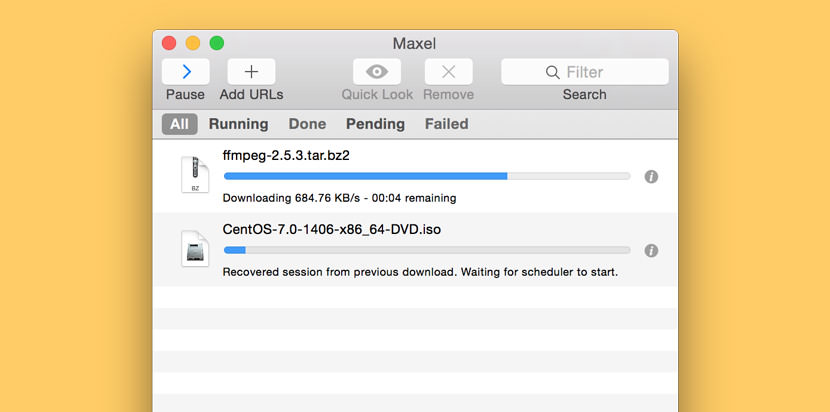
Smart download manager for macOS. Unleash your bandwidth. Maxel is an efficient and easy-to-use download manager which can:
- Resume most downloads, even if your mac restarts
- Speed upwardly downloads past splitting the file into up to 100 segments
- Automatically retry stalled downloads and manage your download queue
- Drag & drop selections from webpages into Maxel to download any links within
- Kickoff downloads from within Safari/Chrome/Firefox
- Log into file sharing websites from Maxel'due south born browser to download authenticated files
- Compute MD5/SHA1 hashes of files to notice corruption
- Use SSH public key authentication for SFTP
- An API for adding downloads in scripts
- Real Speed – Maxel is a download accelerator—information technology splits each download in upward to 100 parts and downloads each office simultaneously to let you lot max your bandwidth.
- Like shooting fish in a barrel on the CPU – Maxel'southward cadre download engine is written in C for blazing fast operation, and parallelism more efficiently than competing download accelerators.
↓ 14 – Download Accelerator Plus [ Discontinued ] | Windows | macOS
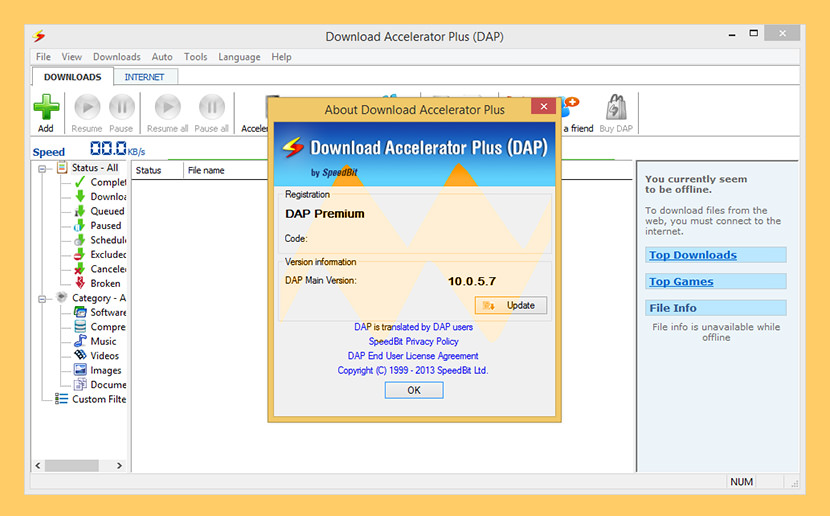
DAP 10 is the new powerful version of the globe's most popular download accelerator and manager- Download Accelerator Plus (DAP). In DAP 10, Speedbit has reinvented what a download manager should be. The new DAP ten platform consists of the cadre DAP download accelerator engine, streamlined and optimized for powerful efficiency and ease of use.
On peak of that powerful core, DAP at present carries its features as add-ons, allowing yous to choose and customize your download feel. As usual, avoid groovy information technology, not only is information technology illegal, information technology is not rubber.
- Video Preview – Play audio & video files as they download, don't wait for your content to finish downloading.
- Download Security – Antivirus integration, security alerts from leading anti-viruses, know if the file you lot downloaded is condom before you open it!
- Videos Catechumen – Convert YouTube videos to any format, free Video Converter with the fastest conversion speed
↓ fifteen – DownThemAll [ Discontinued ] | Firefox
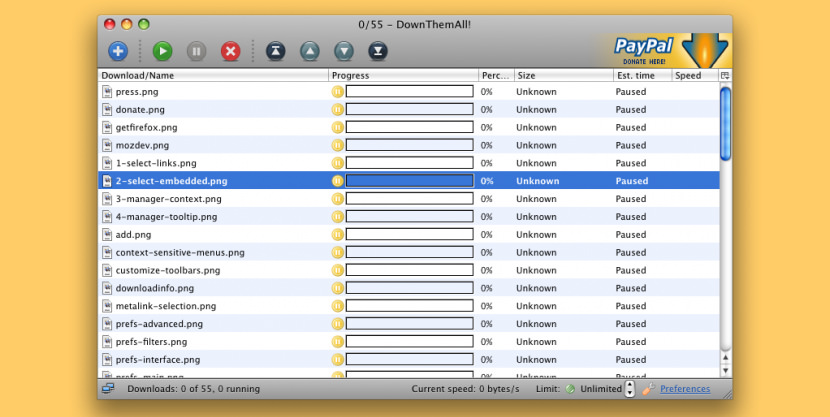
DownThemAll (or but dTa) is a powerful withal easy-to-use Mozilla Firefox extension that adds new advanced download capabilities to your browser. DownThemAll lets you lot download all the links or images independent in a webpage and much more than: yous can refine your downloads by fully customizable criteria to become only what yous actually want.
DownThemAll is all yous can desire from a download manager: it features an avant-garde accelerator that increases speed up to 400%, it allows you lot to pause and resume downloads at any fourth dimension and, last just non least, it'due south fully integrated into your favorite browser!
- Accept all the files you want with but ane click.
- Have your page spidered with a single click.
- Selecting the files you want to download can be even faster, once you've set your personal inclusive filters.
↓ 16 – SpeedTao [ Discontinued ] | macOS
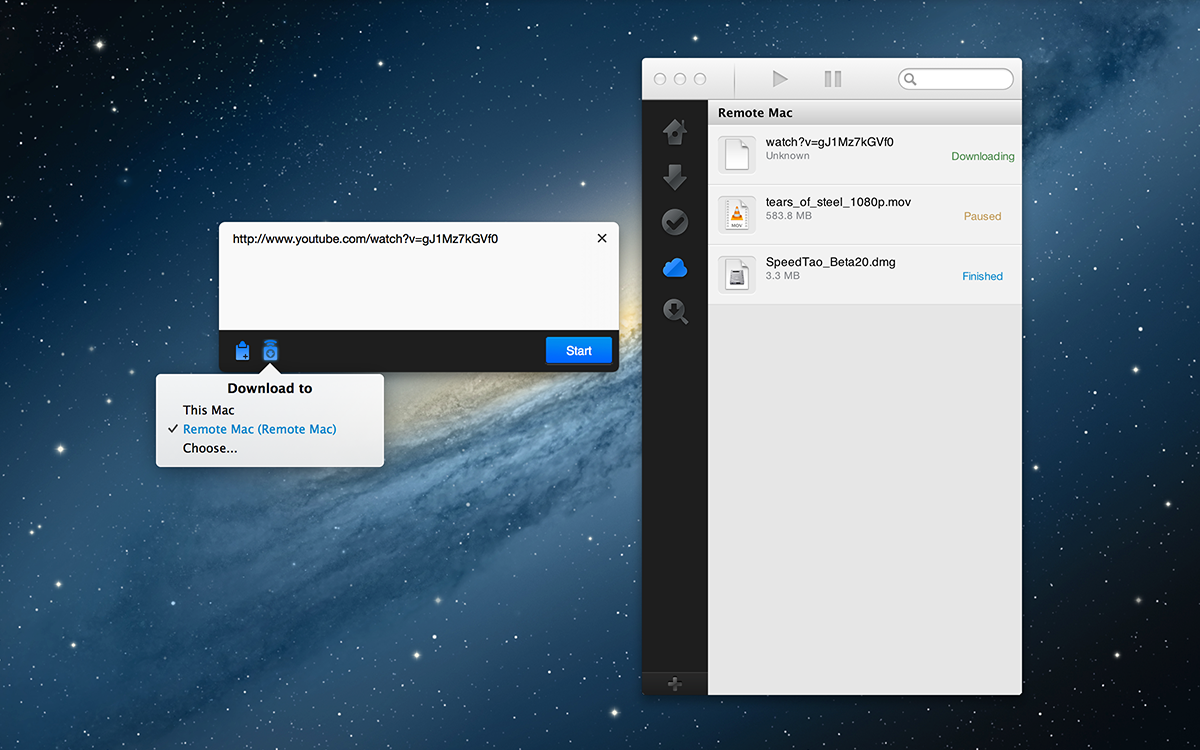
SpeedTao is a very FAST and SIMPLE download manager for macOS. SpeedTao accelerates downloads with segmented download technology and motorcar-resuming transfers from where they stopped last time. SpeedTao can handle all pop protocols — HTTP, FTP, HTTPS, magnet, ED2K(eMule) and torrents. Speedtao's P2P office is made possible past the opensource mldonkey engine (Binary, Patches).
- HTTP/FTP, Magnet, ED2K & Torrent Support
- Remote Download enables users to download to remote Macs, and to remote control (Pause/Resume) their remote transfers. During SpeedTao beta period, a user needs a Dropbox business relationship to enable SpeedTao Remote Download feature.
- Youtube Video Download
- Frontend for MLDonkey on NAS/server (experimental)
↓ 17 – Leech [ Not Free ] | macOS
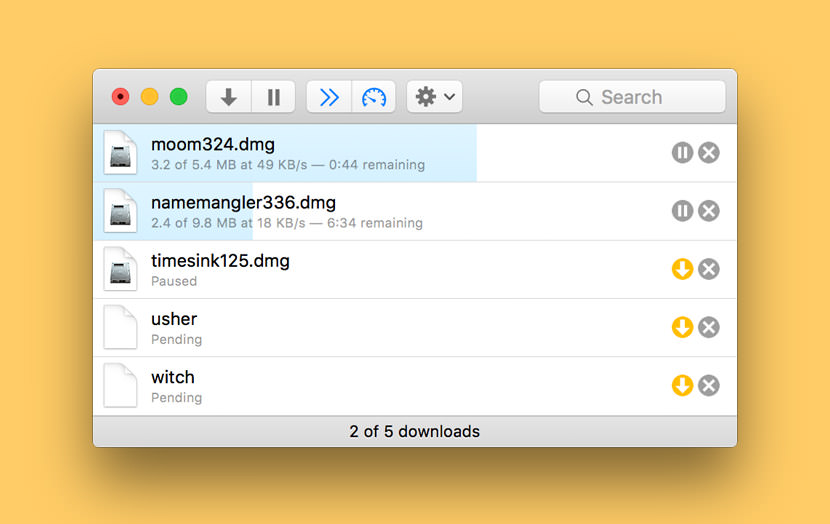
Leech the lightweight-yet-powerful download director, isn't only whatever download manager, it'south a download manager from Many Tricks. What makes Leech so useful is that information technology gives you many options for customizing how downloads are handled. So here'south simply a sampling of some of Leech's other tricks…
- Run in the Dock, in the menu bar, or in a new Dock-and-menu bar hybrid mode.
- Includes a Safari contextual menu extension that sends downloads to Leech
- Create rules to manage downloads, based on host proper name and filename extensions.
- Download multiple files by using ranges, i.e. file_{1-3}.jpg
- Paste lists of URLs into Leech, or drib a dragged URL onto its Dock icon.
- Optionally quit when primary window is closed, and/or when all downloads are done.
- Save or don't save…a complete download history.
- Automatically split downloads into subfolders by date, if you lot wish.
↓ 18 – Speed Download Lite [ Discontinued ] | macOS
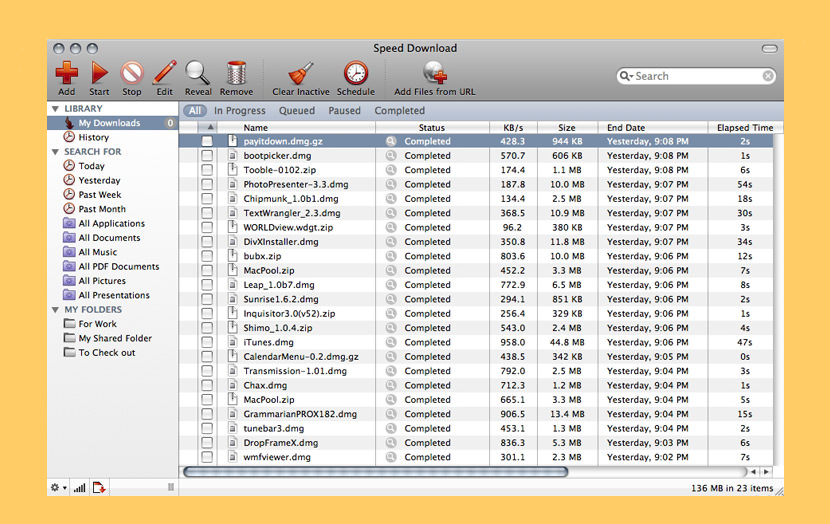
Speed Download Lite is a stripped down version of the Speed Download five download manager without any of the actress features – and it's now been overhauled from height to bottom. With regards to the interface and browser integration, Speed Download Lite offers the same top of the line performance and reliability that you'd await from a download managing director.
How Download Manager Works?
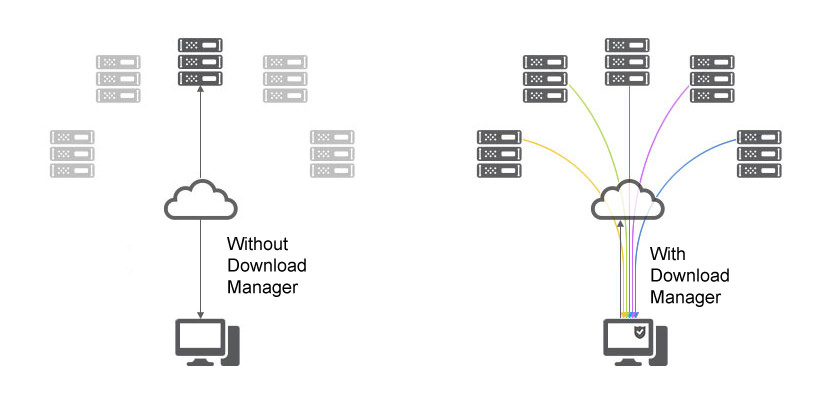
Common connection without a download managing director is when data is delivered via ane channel and from one source only. Downloading data with a download manager is when data is delivered in multi-channels and from several parallel sources or the same source, depending on if the software offers cloud capabilities. Benefits of IDM:
- Download large GB files with break and resume, no need to worry about disconnection when it is 99% downloaded.
- Download images from sites that disable right clicks.
- To control the downloading speed then that it doesn't affect other people when they surf the internet.
- Faster downloads.
Internet Download Manager for Mac 10.6.8
Posted by: simmonsnupich.blogspot.com


0 Komentar
Publicar un comentario